
A quick tour of your Zealock dashboard
Welcome to your Zealock dashboard! This is where you control your business, track your sales, and grow your reach. We have made everything simple so you do not get confused by heavy tech layout screens.
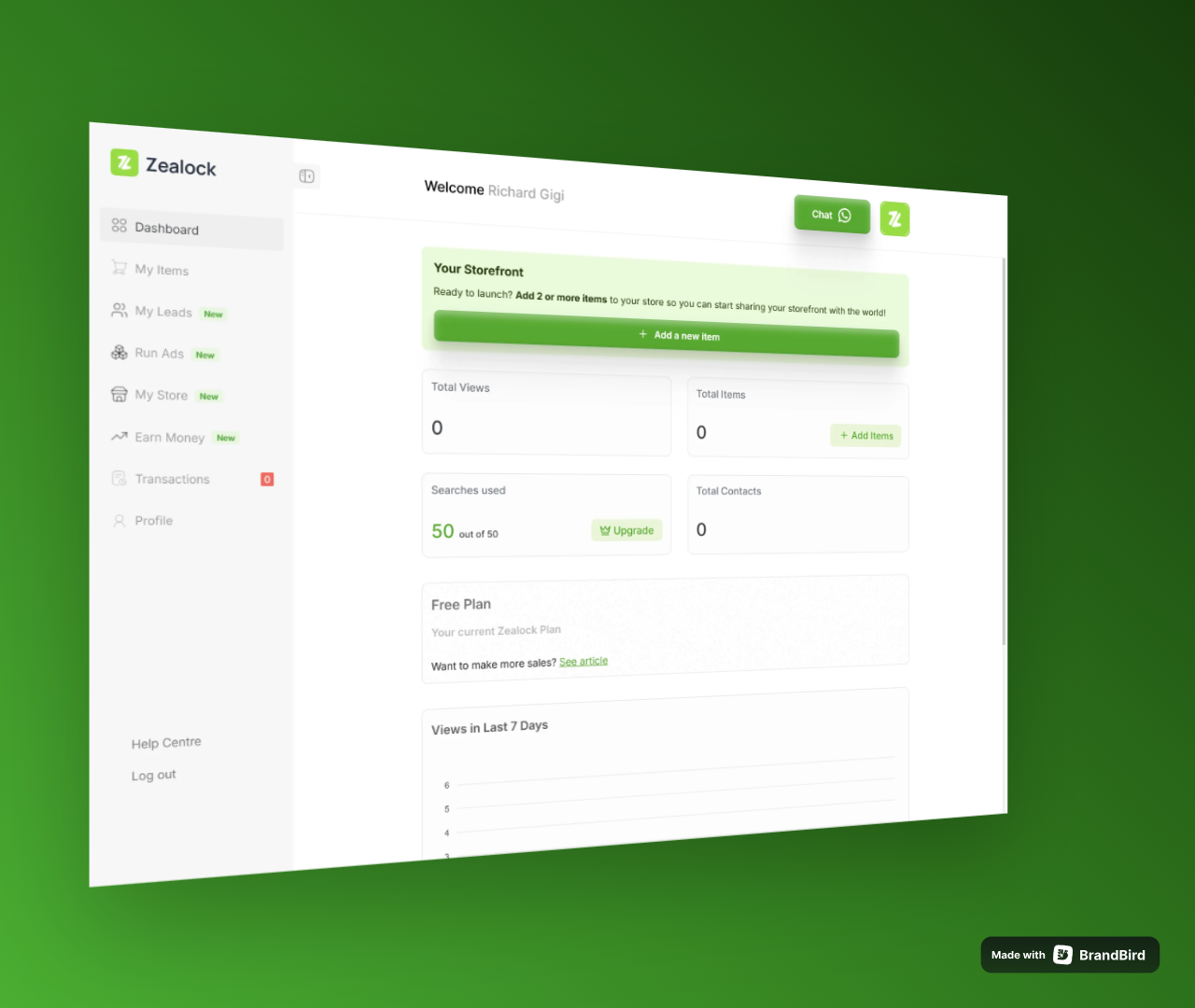
Here is a quick breakdown of every page on your sidebar navigation and exactly what they do:
1. Dashboard
Think of this as your main home base. The moment you log in, this page shows you a quick summary of how your business is doing in real-time.
Total Views: The total number of times buyers have looked at your items.
Total Items: Exactly how many items you currently have active on the website.
WhatsApp Leads: The exact number of people who have clicked to message you directly on WhatsApp.
Your Storefront Link: A quick-share section where you can view your store or copy your link to send directly to your customers.
2. My Items
This is your digital warehouse page. Here, you manage everything you display on the visual masonry feed.
Add New Item: Upload your product photos and videos, clear prices, and details in under 1 minute.
Manage Listings: Edit prices, mark items as "Sold Out," or delete old products to keep your store looking fresh.
Boost Product (₦1,050): If you want more eyes on a specific item, you can make a quick one-time payment of ₦1,050. This pushes that product straight to the absolute top of Zealock's main homepage feed for 7 days so buyers can spot it instantly.
3. Run Ads
This is your premium marketing powerhouse page. Remember, we don't run single separate ads because they waste money.
Find a Category Group: Browse active pools created by our team that fit what you sell (like Friday Thrift Fits or Gadget Tech Plugs).
Buy a Slot: Drop your product directly into a matching bucket pool starting from just ₦1,000. We will handle the premium graphics and push targeted buyers straight to your phone.
4. My Leads
This is your tracking and conversion center. Sometimes, a buyer clicks on your item but doesn't instantly send the WhatsApp message. This page helps you capture those exact people.
Track Intended Buyers: See a clear list of every single user who clicked to contact you or view your store, along with their available details.
Recover Lost Deals: Use this page to spot who tried to reach you, monitor customer interest, and reach back out to convert them into buying customers.
Premium Feature Gate: Note that only sellers on a active paid plan (Starter or Growth tier) can unlock and see this data. If you are on the free tier, this page remains locked.
5. Earn Money
If you want to make extra side income by sharing deal links on your WhatsApp status or social media stories, this is your zone. On Zealock, you are our marketing team—sharing links with friends gives the platform a personal touch that corporate ads can never match.
Get Your Links: Copy your unique tracking referral links for active category Ad Buckets.
Track Clicks & Cash: We do not pay for empty "views" because passive scrolling doesn't put money in a vendor's pocket. Instead, you can track real customer interest here. We pay a premium flat rate of ₦60 ~ ₦150 every single time a unique buyer uses your link, crosses our validation gate, and clicks "Contact Seller."
Refer Sellers & Earn 10%: You have multiple ways to make money! If you invite a business owner to join Zealock using your invite link, you will automatically receive a 10% cash bonus the exact moment they pay to secure a slot in any active Ad Bucket.
Withdraw Money: Once your affiliate wallet hits our standard ₦2,000 threshold milestone, your withdrawal button unlocks to send your cash straight to your bank account instantly.
6. My Store
This is your brand's style center. It is used strictly to customize how the public and campus buyers see your business storefront row.
Your Store Link: Easily view and copy your custom identity link (
zealock.store/@username) to paste on your bios or share with clients.Set Brand Colors: Change the look of your layout page to match your business colors with 1 click.
Spotlight Text: Write a neat slogan, motto, or short message to welcome your customers and keep your brand in their heads.
Select Store Templates: Choose from different visual layout frameworks to display your items beautifully.
Social Media Links: Connect all your active pages in one spot (Instagram, Facebook, X, TikTok, YouTube, WhatsApp, and your personal website) so customers can follow your brand everywhere.
Beautiful Share Cards: The exact second you share your storefront link on social media, our system automatically generates a beautiful graphic card to make your post stand out and attract clicks.
7. Transactions
This is your financial statement page. It acts as your personal digital passbook so you can easily track your payments and know exactly where your cash goes.
Track Every Payment: See a complete history of every single Naira entry, whether you are subscribing to a plan, purchasing an Ad Bucket slot, or earning referral bonuses.
Filter by Status: Check your payments at a glance using three clear indicators:
Pending: Payments that are waiting to process or verify.
Completed: Money successfully paid out or added to your wallet.
Cancelled: Transactions that did not go through or were stopped.
Know Your Cash Flow: Use this page to monitor your business spending and stay on top of your balances with zero confusion.
8. Profile
This is where you manage your private account setup and administrative files.
Edit Details: Easily update your core personal records, business name, and location settings whenever you move hubs or scale up your business.